Websites - Chrome tries to automatically translate one of my pages
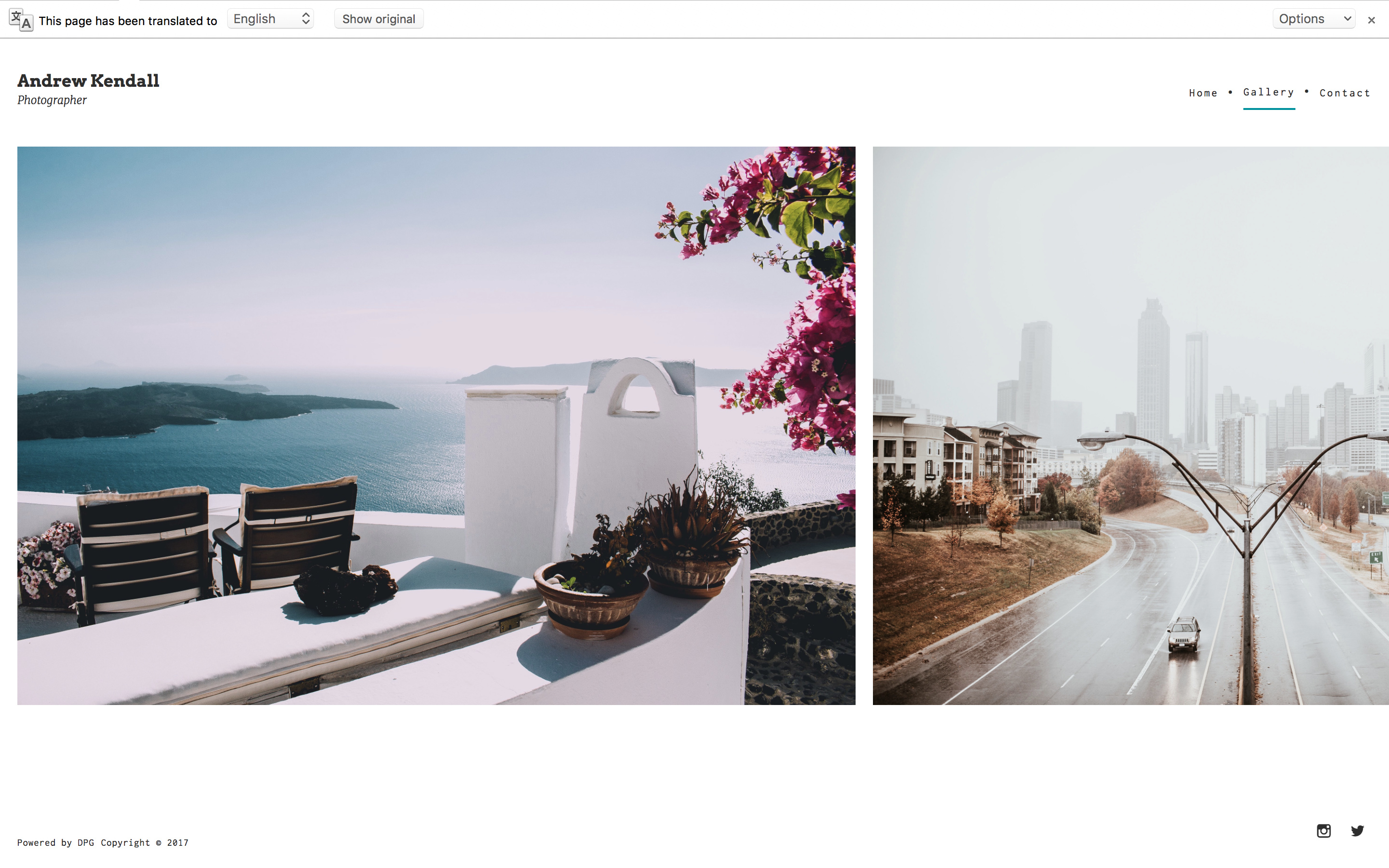
Pages with a small quantity of text or with specific types of text such as names can mistakenly trigger the browser translation. You can add the following meta tag to the page to prevent this.
<meta name="google" content="notranslate" />Adding the meta tag
This option needs the Standard edit mode. Learn more about edit modes
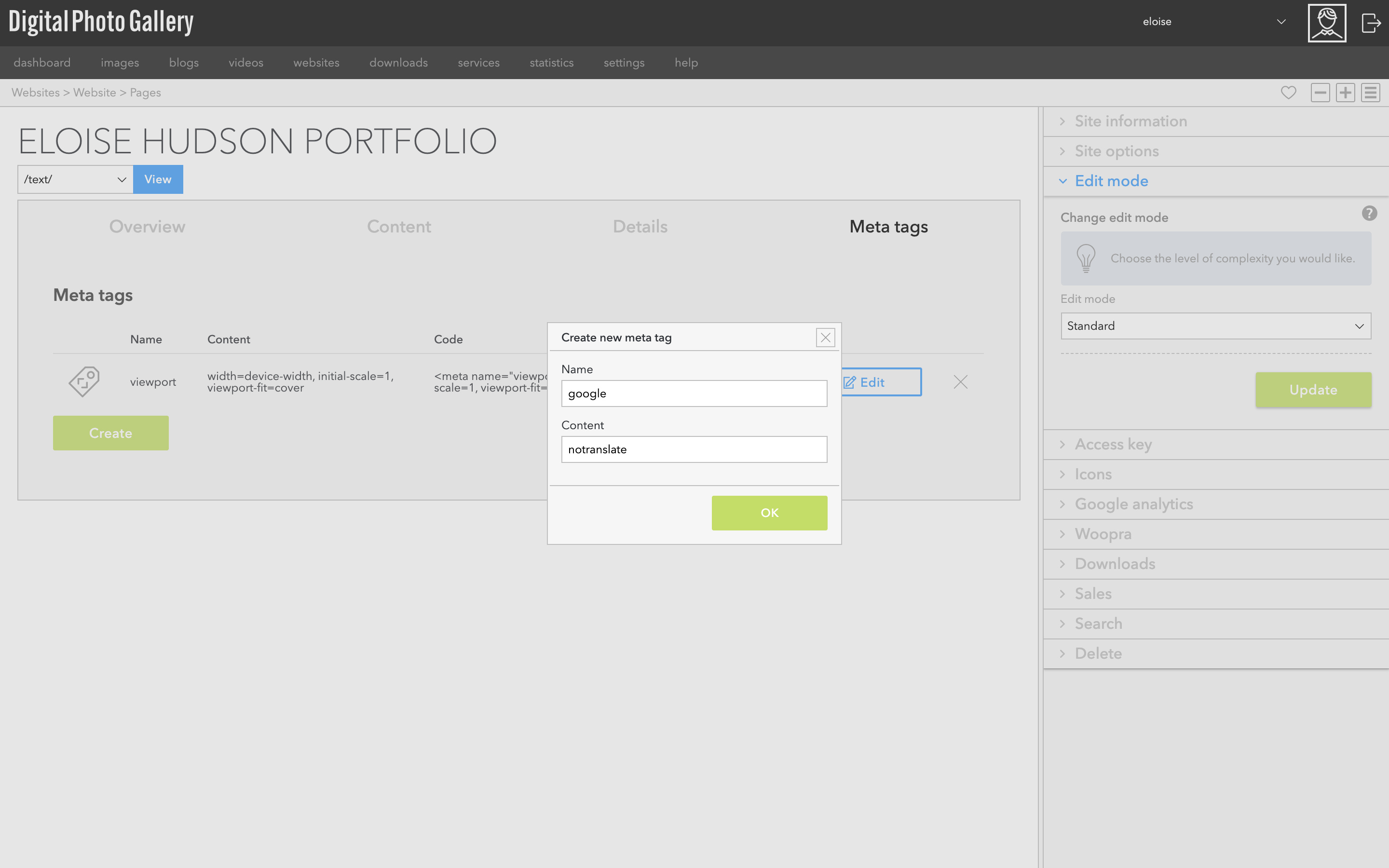
From the website screen, go to Pages and select the relevant page. Select the Meta tags tab on the page. Click the Create button.
Enter the name and content parts of the tag in the text fields. Click OK and the meta tag will be created for you in full.