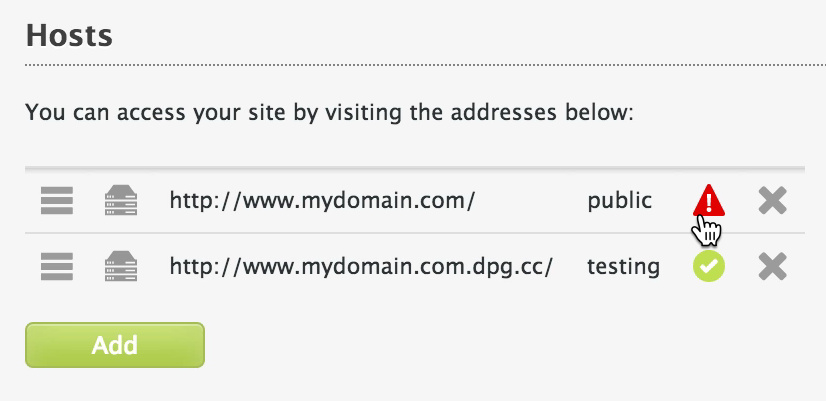
Once the name has been added you'll be able to see the status in the form of an icon next to the domain. Click on the status icon to see the records required to make your website live.
등록 대행업체 - GoDaddy
이 문서는 자동으로 번역되었으며 부정확한 내용이 포함될 수 있습니다.
영어 원본 보기
Adding the domain to DPG
To add your own domain name to your Digital Photo Gallery website:
- Click on the Hosts tab.
- In the first box enter the subdomain (usually www) and in the second box your domain name.
To configure most domains you will need use your domain registrar's control panel to create/edit three DNS records.
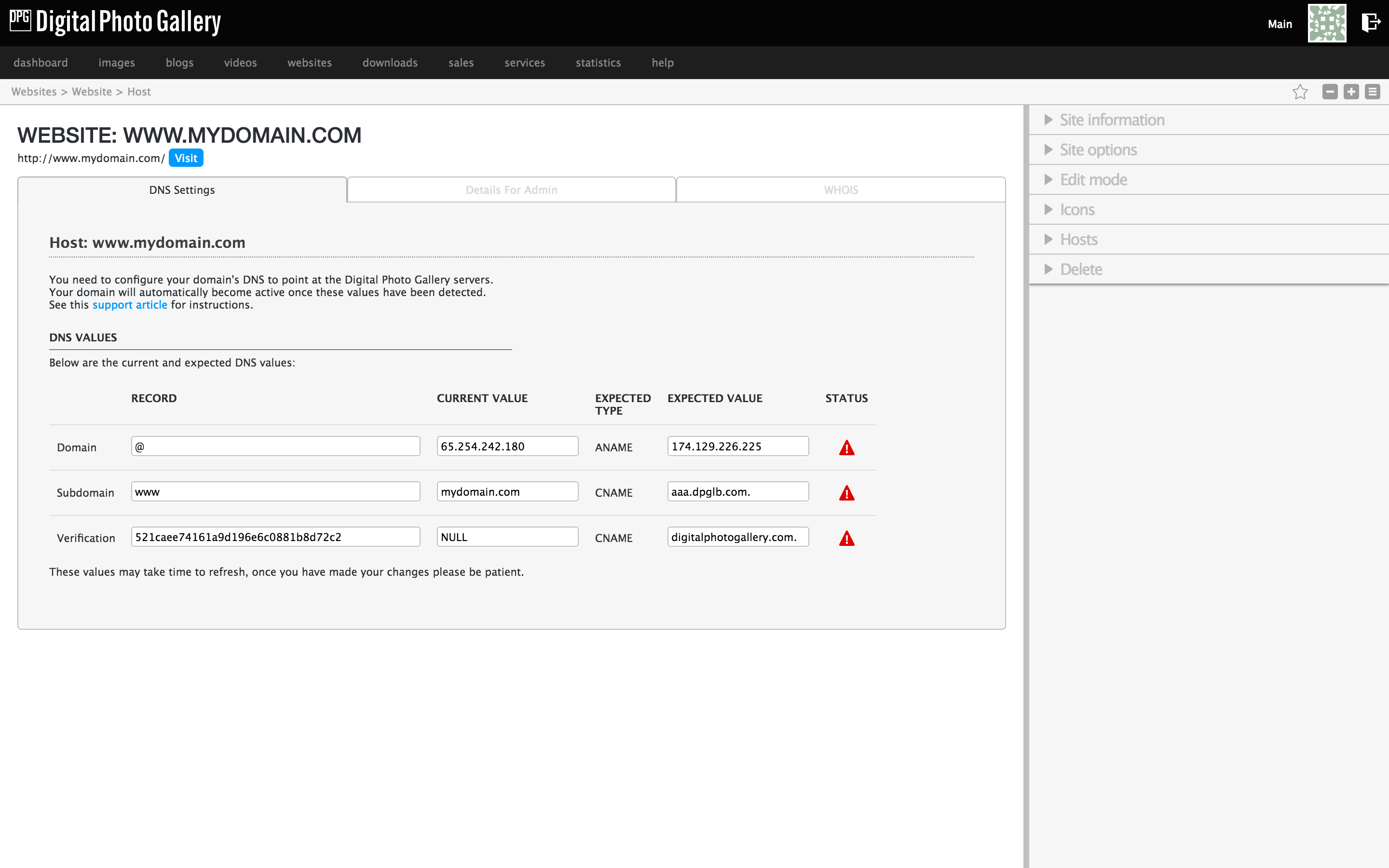
These are the records that you will need in the next steps.
GoDaddy 제어판
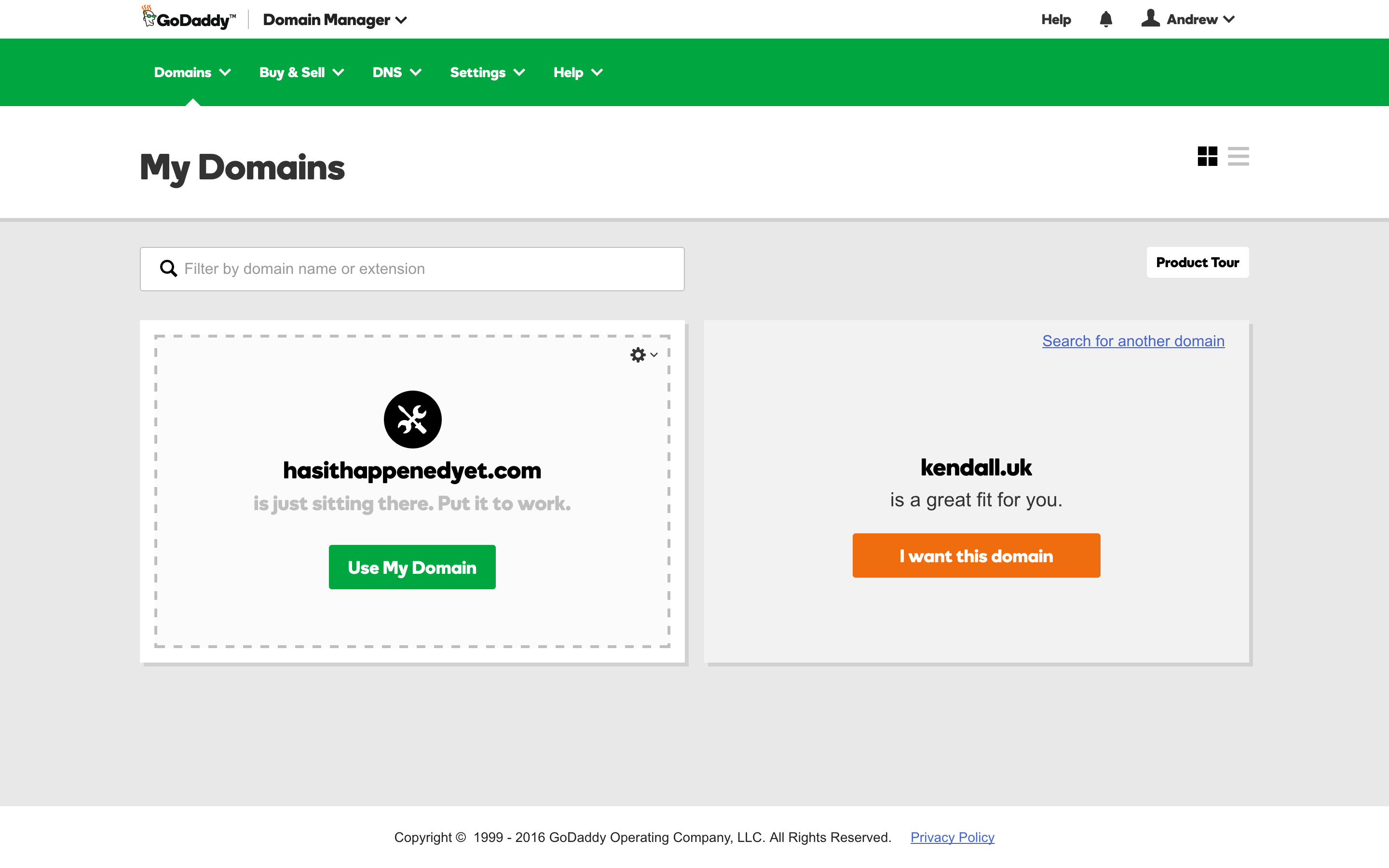
https://www.godaddy.com에 접속하여 제어판의 My Domains 섹션으로 이동하세요.

해당 화면에서 도메인의 톱니바퀴 아이콘을 클릭하고 Manage DNS를 선택하세요.
DNS 관리 화면
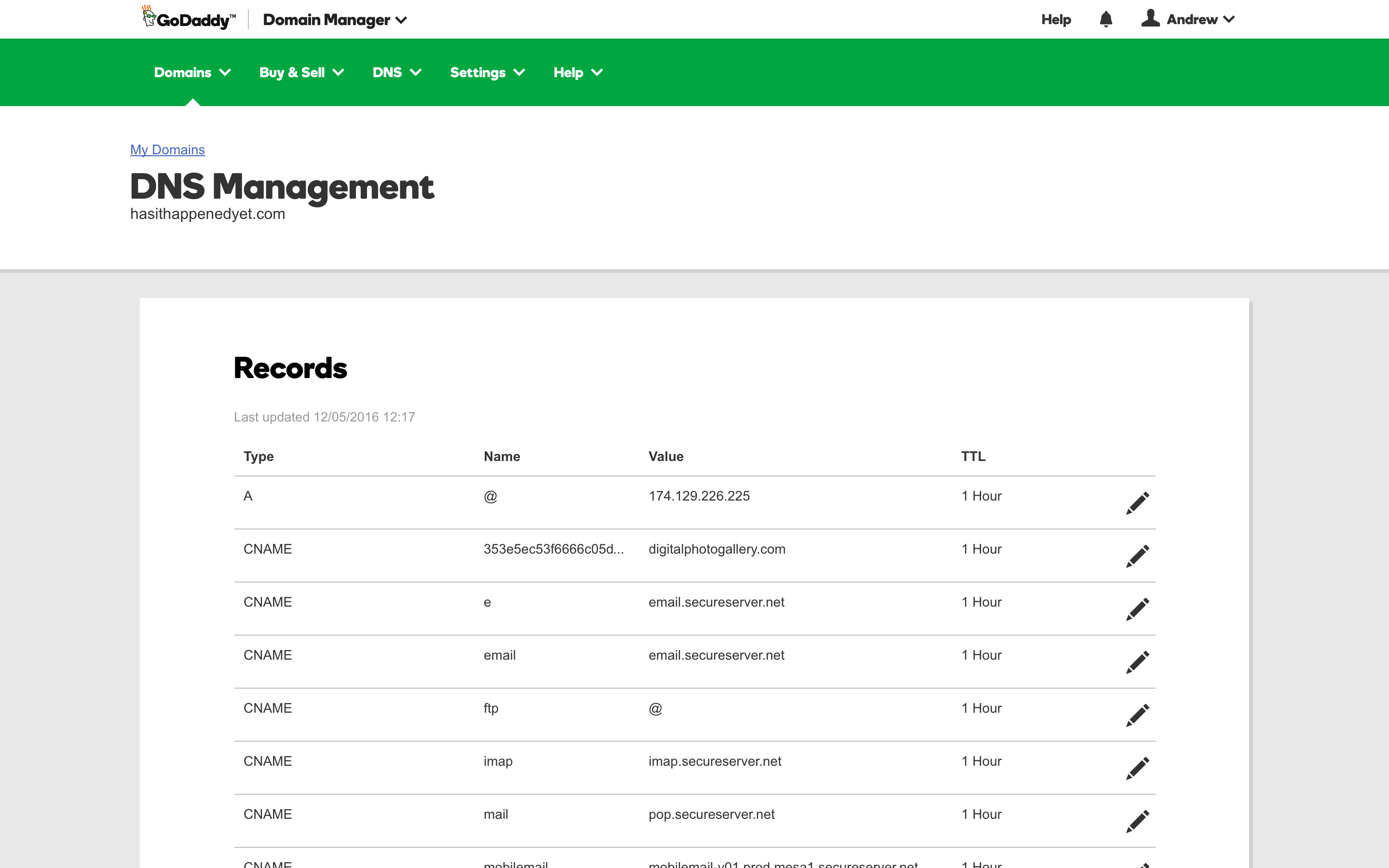
도메인 등록기관은 제어판을 수시로 업데이트합니다. 이 가이드가 보이는 화면과 다르다면 support@digitalphotogallery.com으로 알려주시면 업데이트하겠습니다.
DNS 관리 화면은 DPG에서 제공한 값을 입력하는 곳입니다.
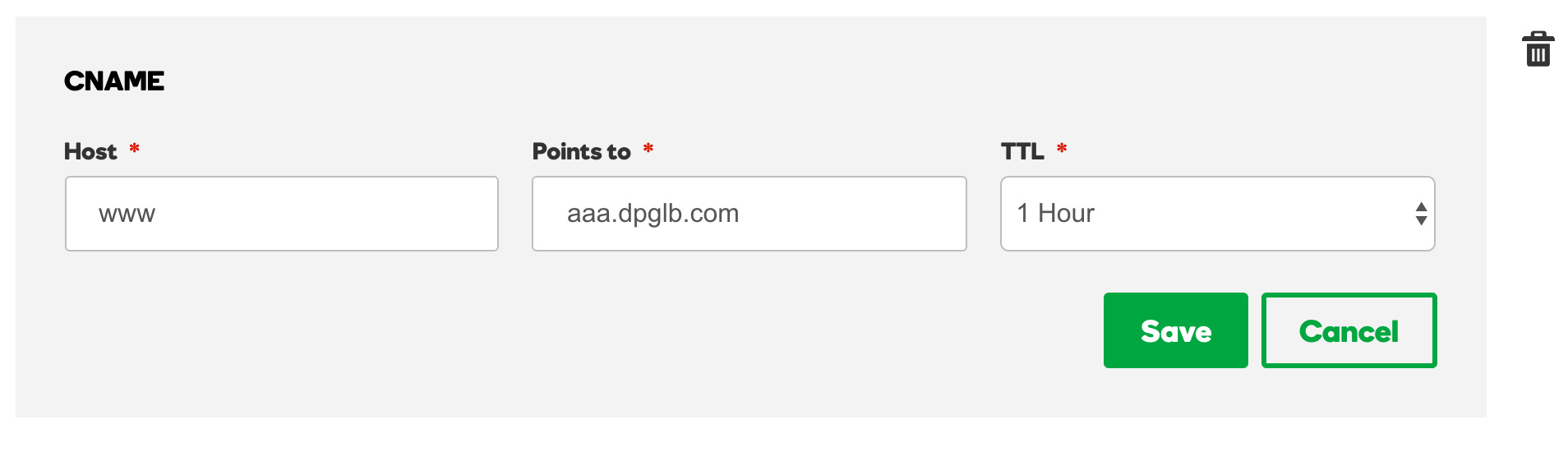
편집 및 추가 기능을 사용하여 DPG 레코드를 입력하세요.
서로 충돌할 수 있는 중복 레코드가 없는 것이 중요하므로, @ 또는 www 레코드가 두 개 있지 않은지 확인하세요.
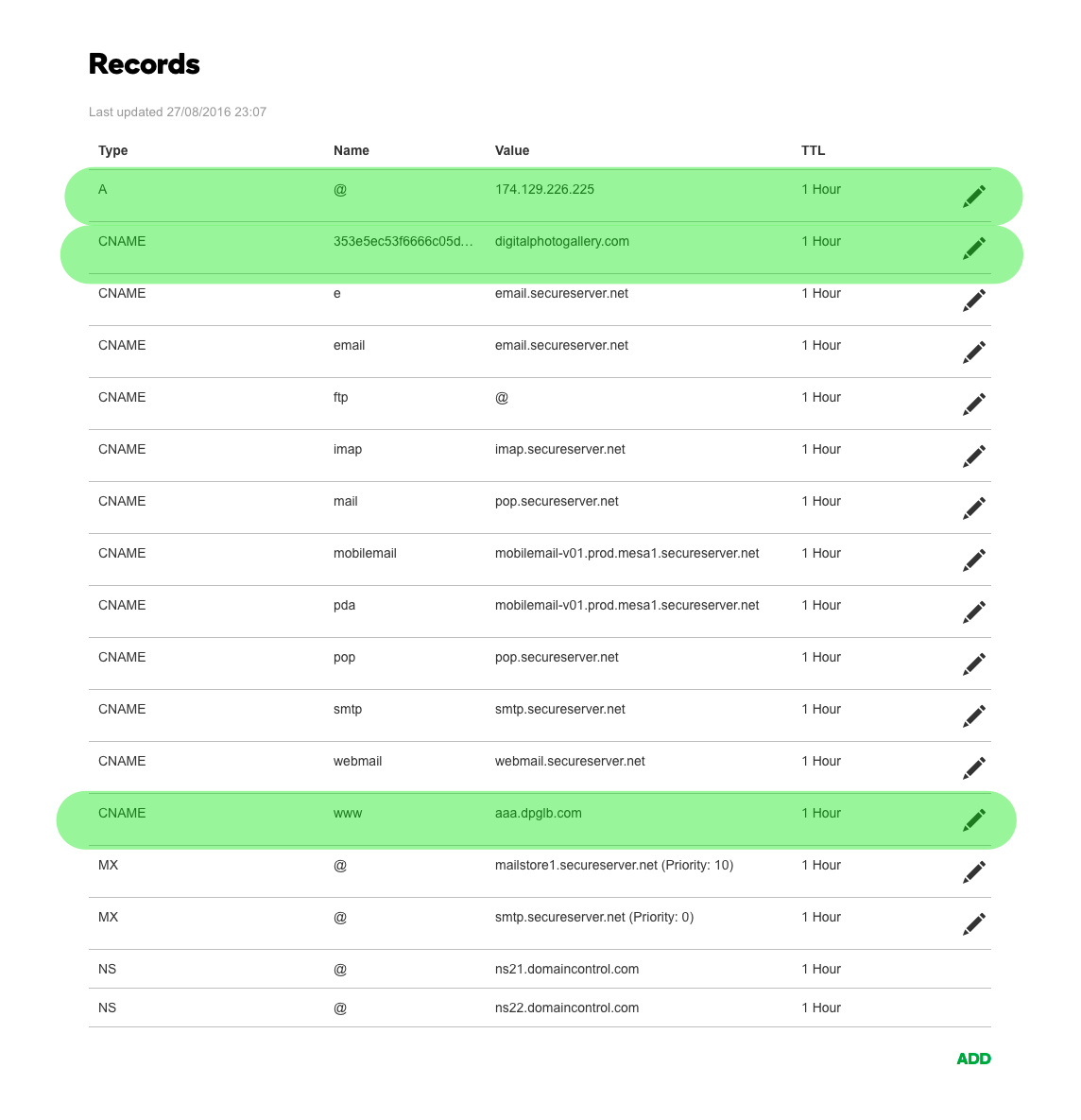
작업을 마치면 다음과 같은 모습이 되는 것을 목표로 합니다. DPG 관련 레코드는 녹색으로 강조 표시했습니다. 도메인에 따라 값이 약간 다를 수 있으니, 이 가이드 시작 부분의 안내에서 값을 반드시 확인하세요.
이 단계를 모두 완료하면 변경 사항이 적용될 때까지 기다리기만 하면 됩니다.
Changes to your domain can take 24 to 48 hours to show up, click here for more information.